
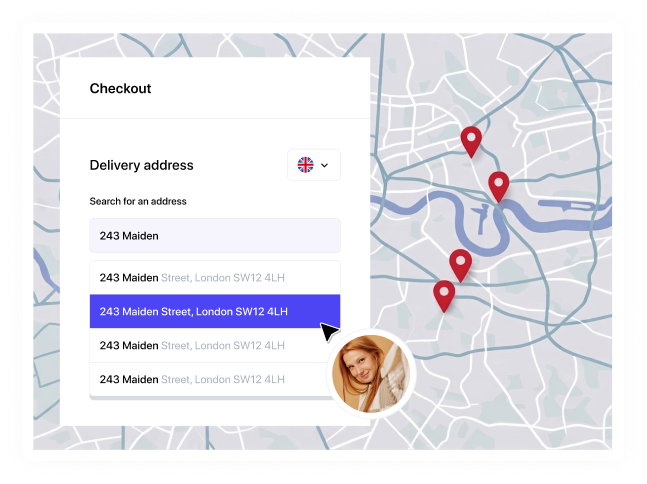
Google Places autocomplete is a genuinely good product. It's built around a global schema designed to work reasonably well everywhere. In practice, it works brilliantly for a US-style house-number-and-street address but considerably less well for the nuances of the UK address format.
If you've wired up Places autocomplete on a UK checkout or sign-up form, you've probably already hit one of these issues. Here's why and what to do about it.
The schema assumes a house number. Plenty of UK addresses don't have one.
Places' address components are built around a street number and a route. That works fine for "42 Cambridge Road" but works less well for "Rose Cottage, Water Lane" or "The Old Rectory, Church Street", where the property is identified by name rather than number.
This isn't a rare edge case. House names are common across rural England and Wales in particular, and they're a completely normal part of a Royal Mail-deliverable address. Google's schema has nowhere obvious to put one, so developers end up bolting the name onto whatever field is closest and hoping the downstream system doesn't mind.
Flats and sub-premises are an afterthought, not a first-class field
Many UK properties are split into flats: above shops, converted houses, and purpose-built blocks. Places does have a sub-premise component for this, but it's inconsistently populated. Ask for a postcode that covers a block of eight flats, and you'll often get the building back with no indication that the flats exist at all, let alone a clean list to choose from.
That pushes the problem onto the customer, who now has to type "Flat 3" into whatever field is left over and hope it survives being submitted, stored and printed on a label three systems later.
A county field is baked into the schema. In the UK, it's barely used anymore.
Places' global schema includes an administrative area field that maps loosely onto a UK county. The trouble is that UK counties stopped being functionally necessary for delivery decades ago once postcodes took over that job. Not to mention that county data itself is inconsistent: ceremonial counties, postal counties and administrative counties don't always agree, and plenty of UK addresses don't have a clean answer at all.
Build a form around Google's schema, and you end up with a county field that's sometimes populated, sometimes wrong, and always optional in practice, even though the schema treats it as a normal citizen of the address.
Autocomplete and validation are two different products
This one catches people out the most. Places’ autocomplete suggests addresses as you type, but it doesn't validate them. Google's own documentation for address validation recommends running autocomplete and validation as two separate steps: suggest first, then check. That means a customer can select a suggested address from your form and still be told afterwards that it wasn't quite right, which is a strange thing to experience after you've just picked from a list the site gave you.
For a UK checkout, that two-step dance is friction you don't need. A postcode-first lookup can return an already-validated, already-structured address in one step because it's working from an authoritative UK address list rather than inferring a match from a global index.
The fix: build on UK address data, not a global schema
None of these issues are really Google's fault since a schema built to handle every country on earth reasonably well was never going to handle house names, sub-premises and the death of the UK county particularly gracefully. It just means the schema isn't the right foundation for a UK-only form.
AddressBrain works the other way round. Postcode lookup and autocomplete are built directly on officially licensed Royal Mail PAF data, which models UK addresses as they actually exist, including sub-building name, building name, thoroughfare, post town, and postcode, with county treated as the optional detail it is. A postcode search returns the full, validated list of addresses at that postcode in one call, flats included, rather than a building-level match with the detail missing.
No separate validation pass, no schema fields borrowed from a US address, no guessing where the flat number goes.
Try our postcode lookup and autocomplete API for free, or go straight to the developer docs if you'd rather read the reference first.